Click on the image to view in full screen.
Æon Cheat External for Apex Legends
Reviews:
OS:
10, 11
Built-in spoofer:
No
Last detection:
Never
Game client:
Steam
Proccessor:
Intel, AMD
USB Required:
No
Window mode:
All
$ 8.99
/1day
$ 29.99
/7days
$ 65.99
/30days
Features
Reviews
FAQ
Æon Cheat Features & Description
Supported OS: Windows 10 [2004-22H2], Windows 11 [21H2-23H2]
DO NOT use the built in spoofer (Risky)
Æon has remained fully undetected for over 3 years since its release, making it a trusted choice for users who want long term reliability and consistency. Built as a complete all in one solution, it offers both rage and legit features alongside visual tools like chams, giving you the freedom to play aggressively or keep things smooth and subtle depending on your style. With a strong focus on stability, performance, and proven security, Æon delivers a polished experience backed by a track record that speaks for itself.
DO NOT use the built in spoofer (Risky)
Æon has remained fully undetected for over 3 years since its release, making it a trusted choice for users who want long term reliability and consistency. Built as a complete all in one solution, it offers both rage and legit features alongside visual tools like chams, giving you the freedom to play aggressively or keep things smooth and subtle depending on your style. With a strong focus on stability, performance, and proven security, Æon delivers a polished experience backed by a track record that speaks for itself.
Aimbot
- Enable - turns the aimbot on or off
- Enable RCS - adds recoil control while aiming
- Enable Deadzone - reduces small unwanted aim movement
- Enable FOV Circle - shows the aimbot field of view on screen
- Enable Prediction - predicts target movement for better tracking
- Aim On Attack - only activates while attacking/shooting
- Aim On Hotkey - only activates while holding the selected key
- Aim At Visible - only targets visible enemies
- Aim At Knocked - allows targeting knocked enemies
- Hotkey - sets the aimbot activation key
- RCS - controls recoil compensation strength
- FOV - controls the aimbot target area size
- Bone - selects which body part to aim at
- Smooth - makes aiming movement smoother
- Smooth Random Pitch - adds randomization to vertical smoothing
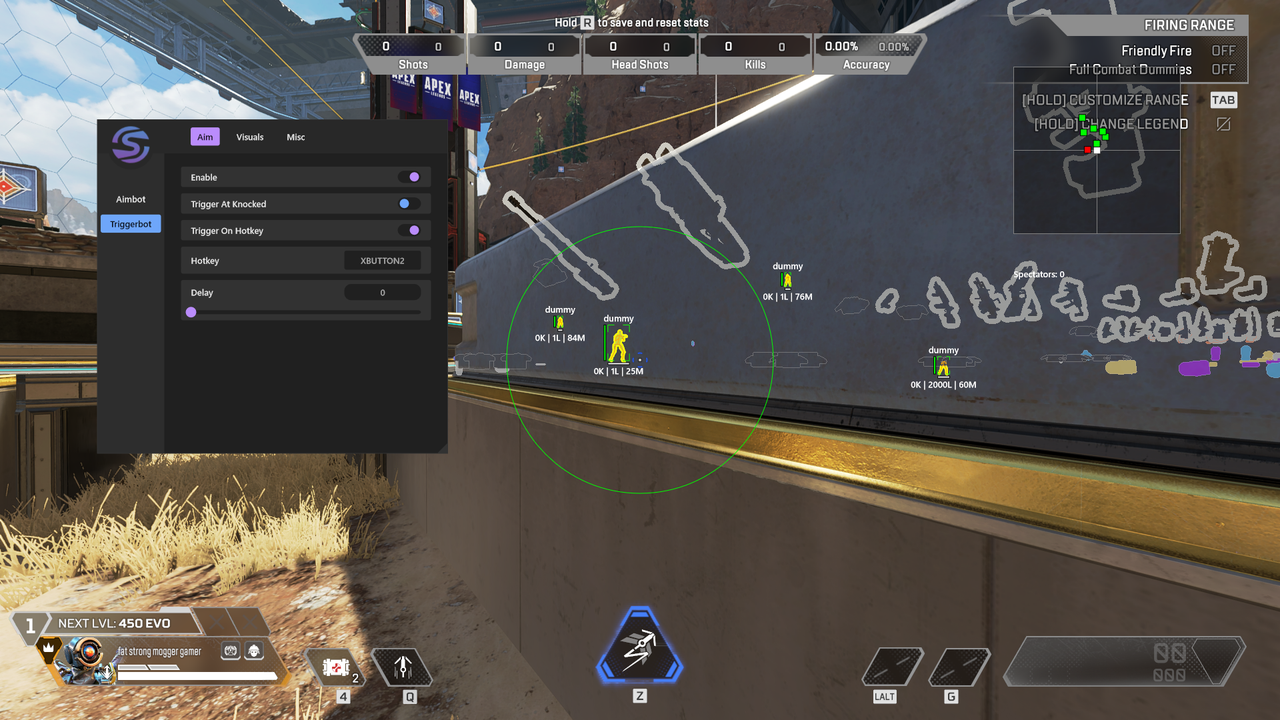
Triggerbot
- Enable - turns the triggerbot on or off
- Trigger At Knocked - fires at knocked enemies too
- Trigger On Hotkey - only works while holding the selected key
- Delay - adds a delay before firing
- Hotkey - sets the triggerbot key
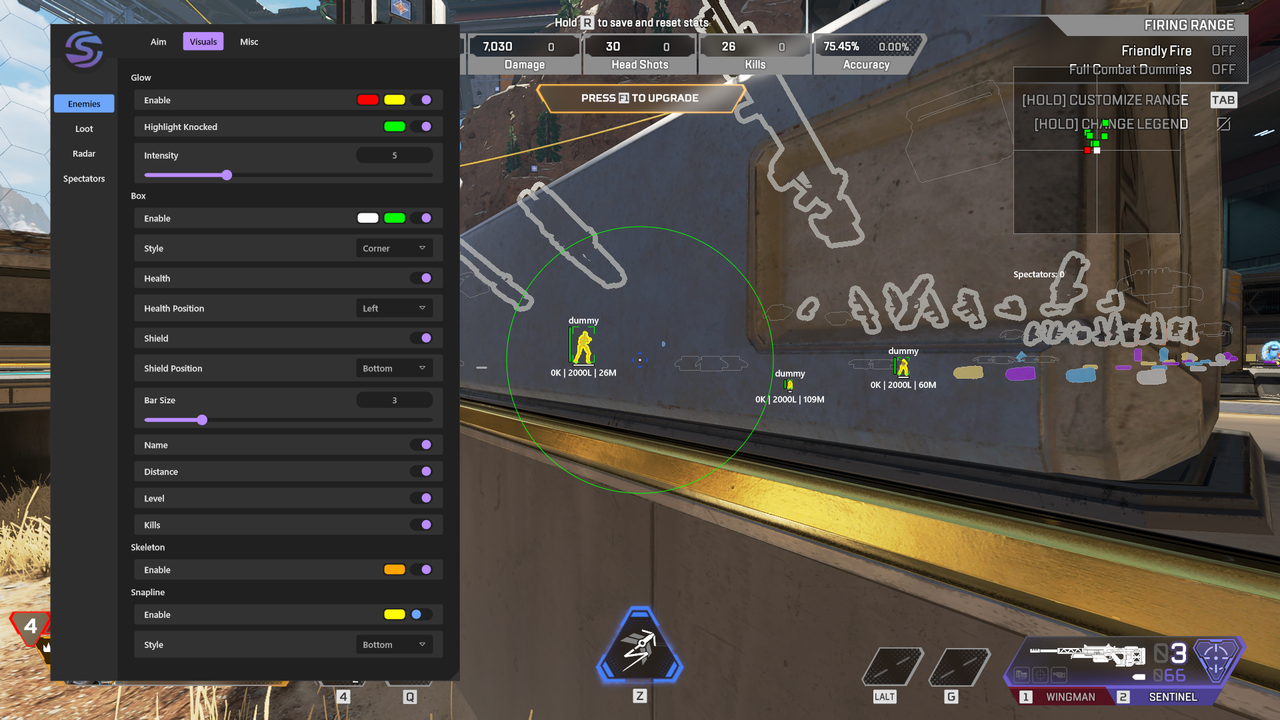
Visuals > Enemies
- Glow Enable - enables enemy glow ESP
- Highlight Knocked - highlights knocked enemies differently
- Glow Intensity - changes glow strength
- Health - shows enemy health bar
- Box Enable - enables box ESP around enemies
- Health Position - changes health bar position
- Box Style - changes the box type/style
- Shield - shows enemy shield bar
- Bar Size - changes health/shield bar size
- Shield Position - changes shield bar position
- Distance - shows enemy distance
- Name - shows enemy name
- Kills - shows enemy kills
- Skeleton Enable - enables skeleton ESP
- Level - shows enemy level
- Snapline Style - changes snapline position/style
- Snapline Enable - draws lines to enemies
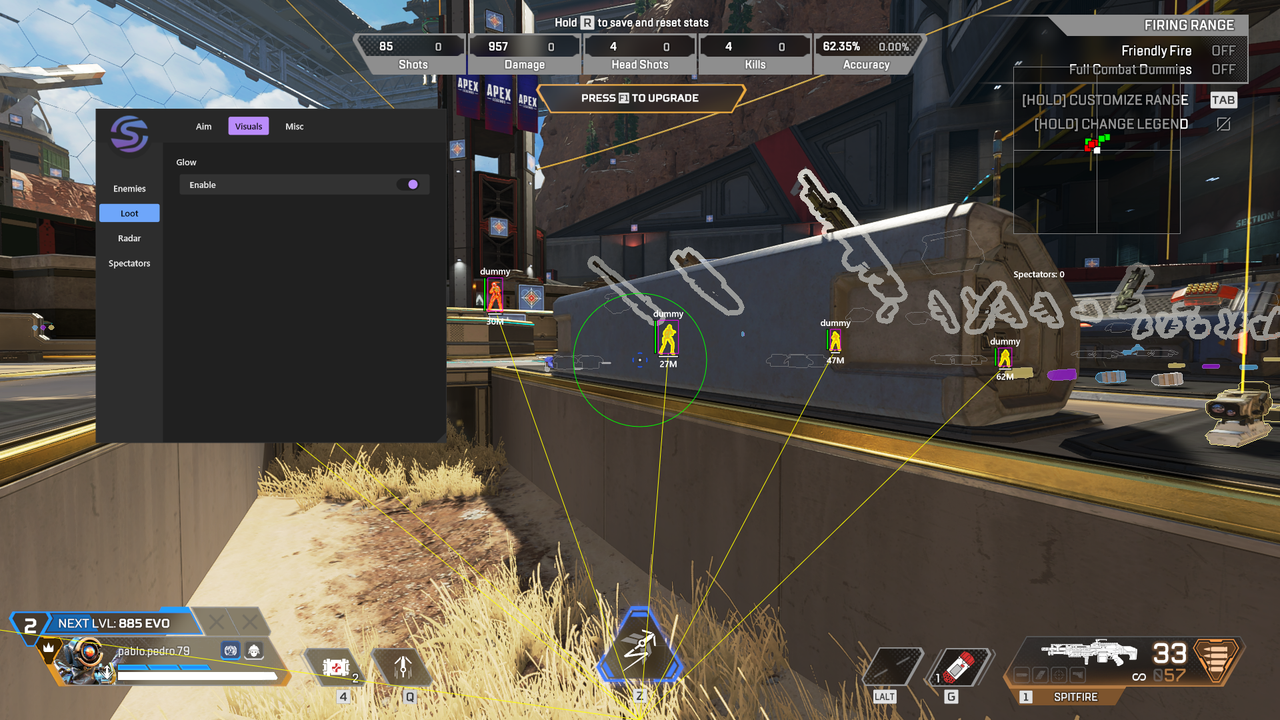
Visuals > Loot
- Enable - enables loot ESP
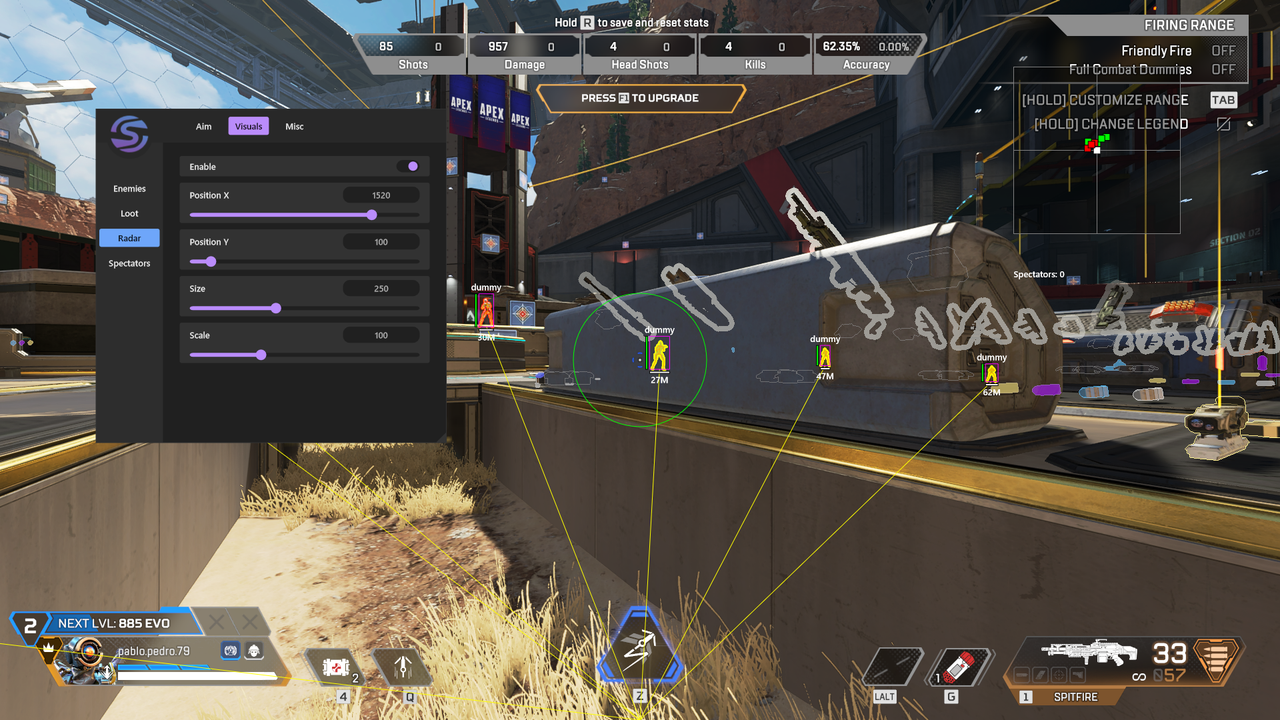
Visuals > Radar
- Enable - enables the radar overlay
- Position X - changes radar horizontal position
- Position Y - changes radar vertical position
- Size - changes radar size
- Scale - changes radar zoom/scale
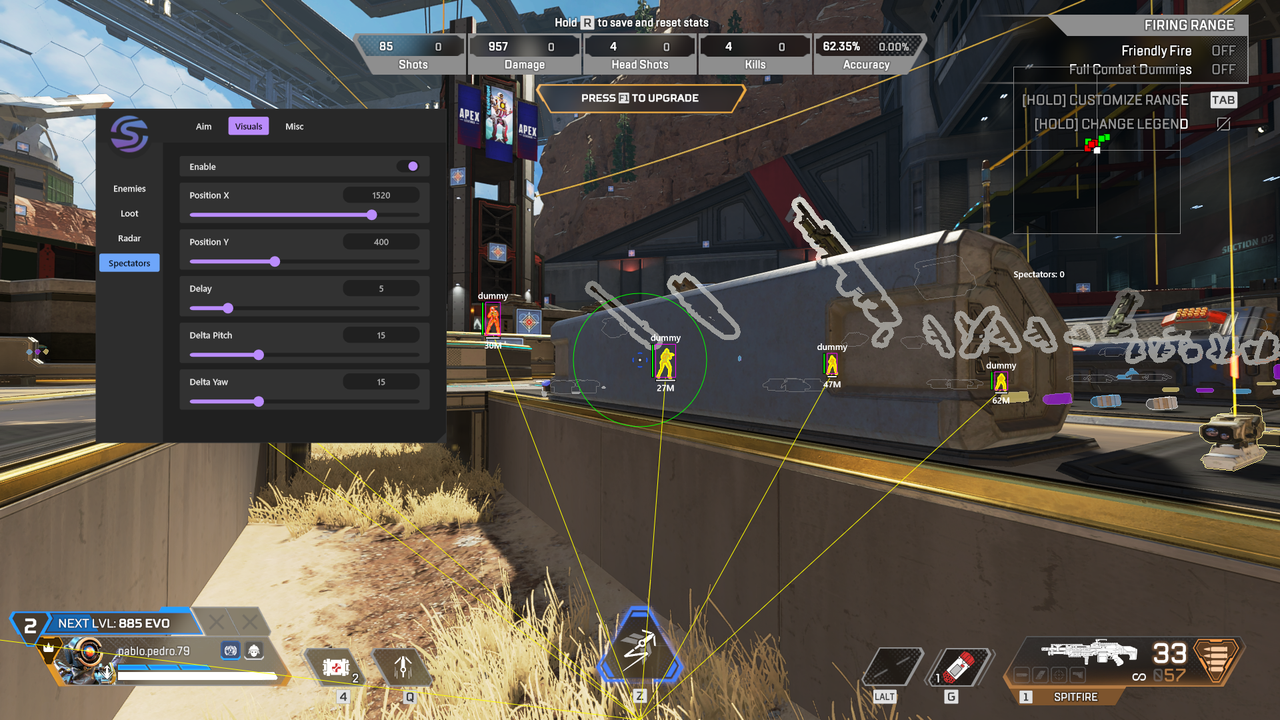
Visuals > Spectators
- Position X - changes spectator panel horizontal position
- Enable - enables spectator display
- Position Y - changes spectator panel vertical position
- Delay - changes spectator update delay
- Delta Pitch - changes pitch-related spectator value
- Delta Yaw - changes yaw-related spectator value
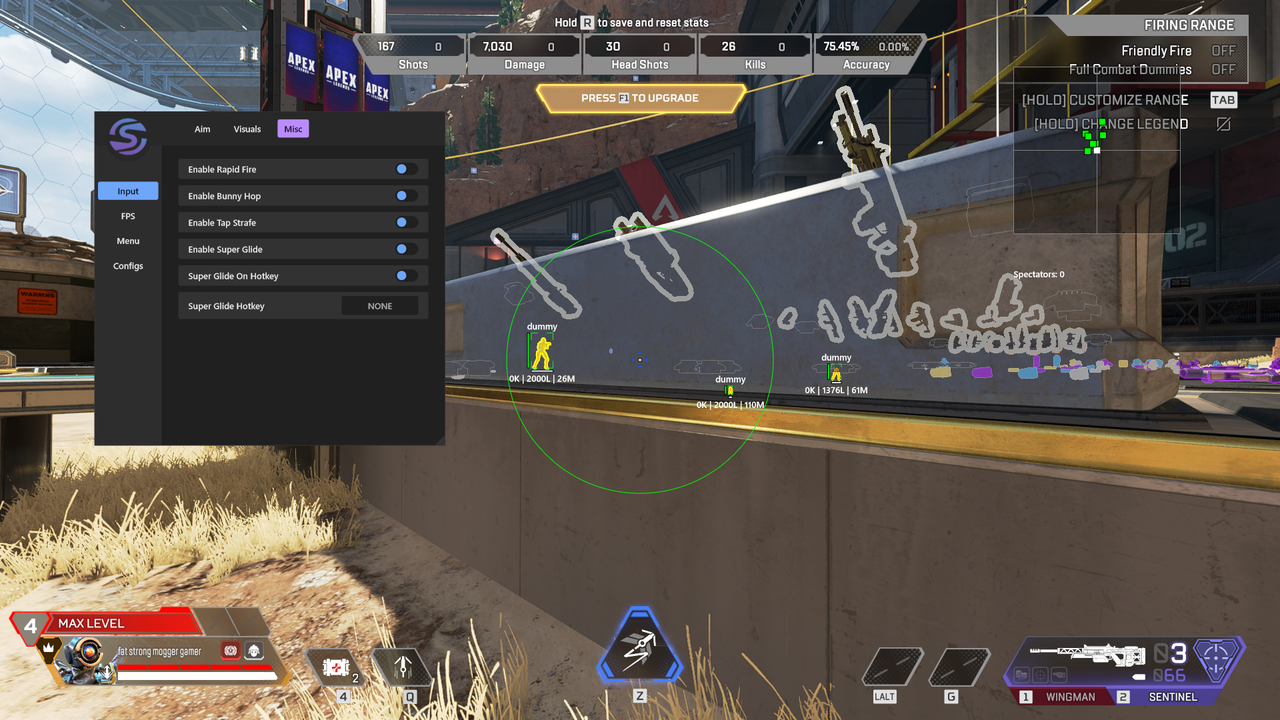
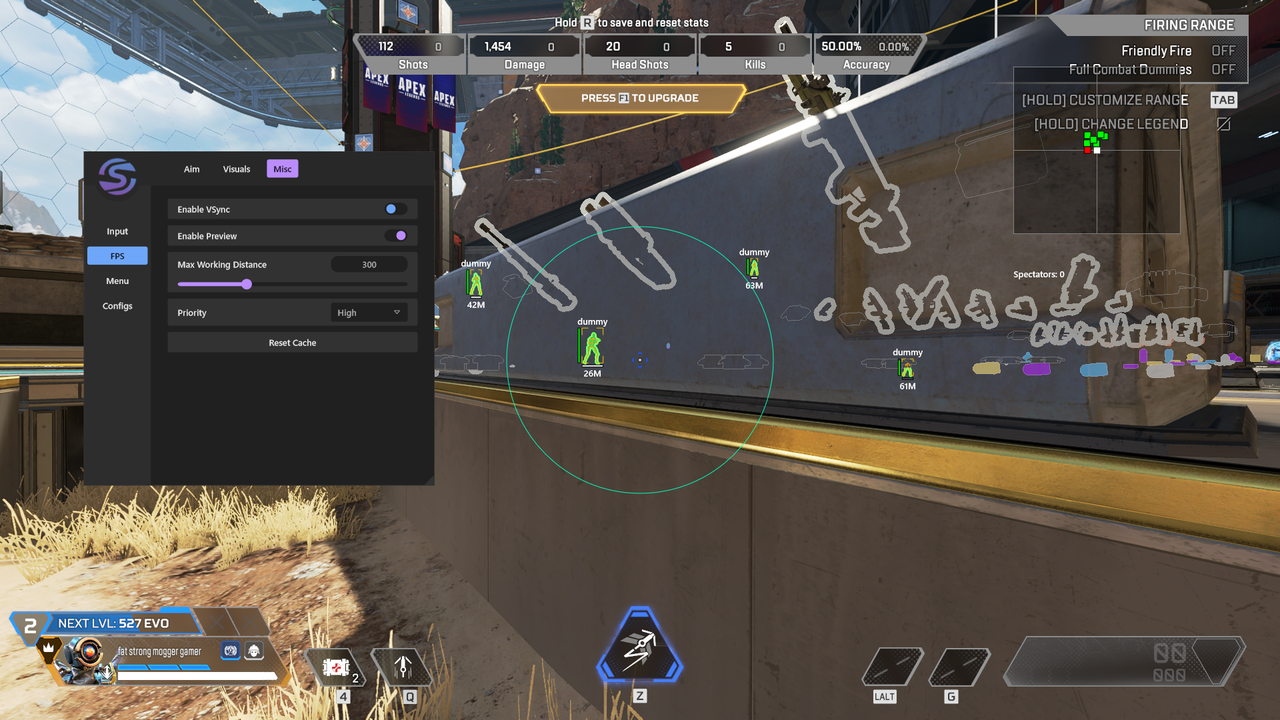
Misc
- Super Glide On Hotkey - only activates super glide on key press
- Enable Super Glide - enables super glide assist
- Enable Tap Strafe - enables tap strafe assist
- Super Glide Hotkey - sets the super glide key
- Enable Preview - enables preview mode
- Max Working Distance - sets maximum working distance
- Priority - sets performance priority
- Enable Rapid Fire - enables rapid fire
- Enable Bunny Hop - enables bunny hop assist
- Enable VSync - enables vertical sync
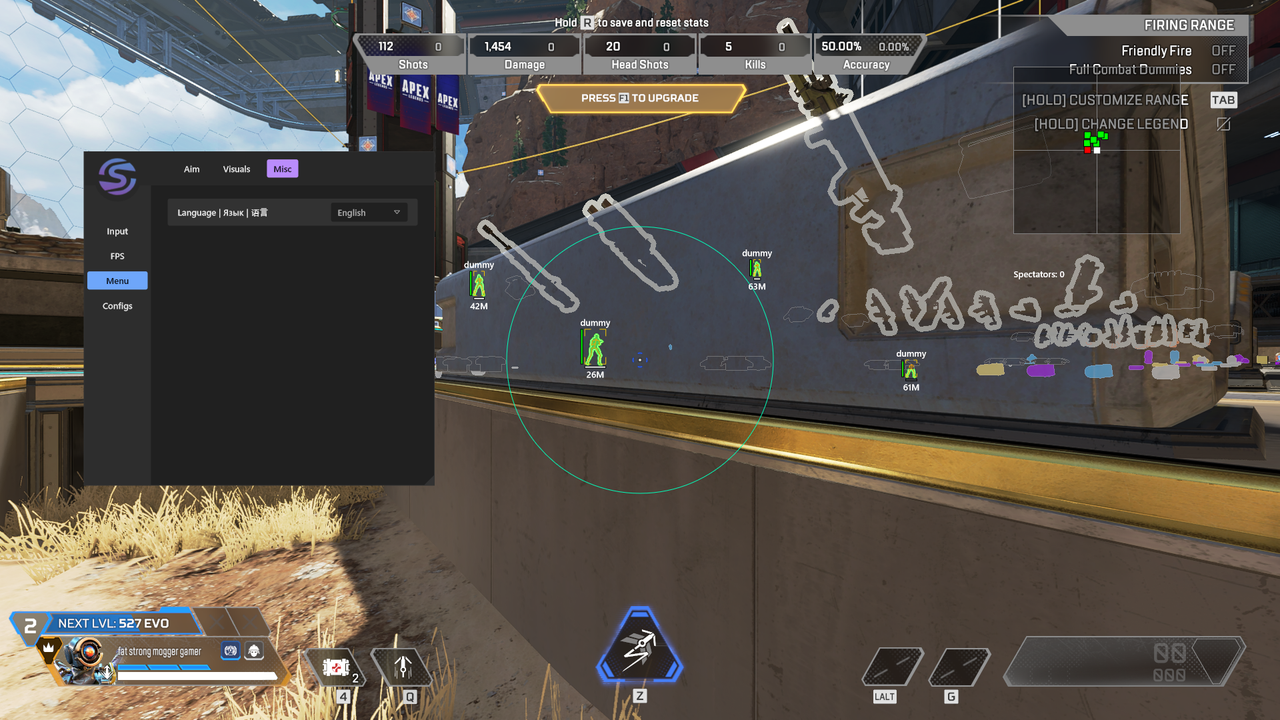
- Language - changes the menu language
- Reset Cache - clears cached data
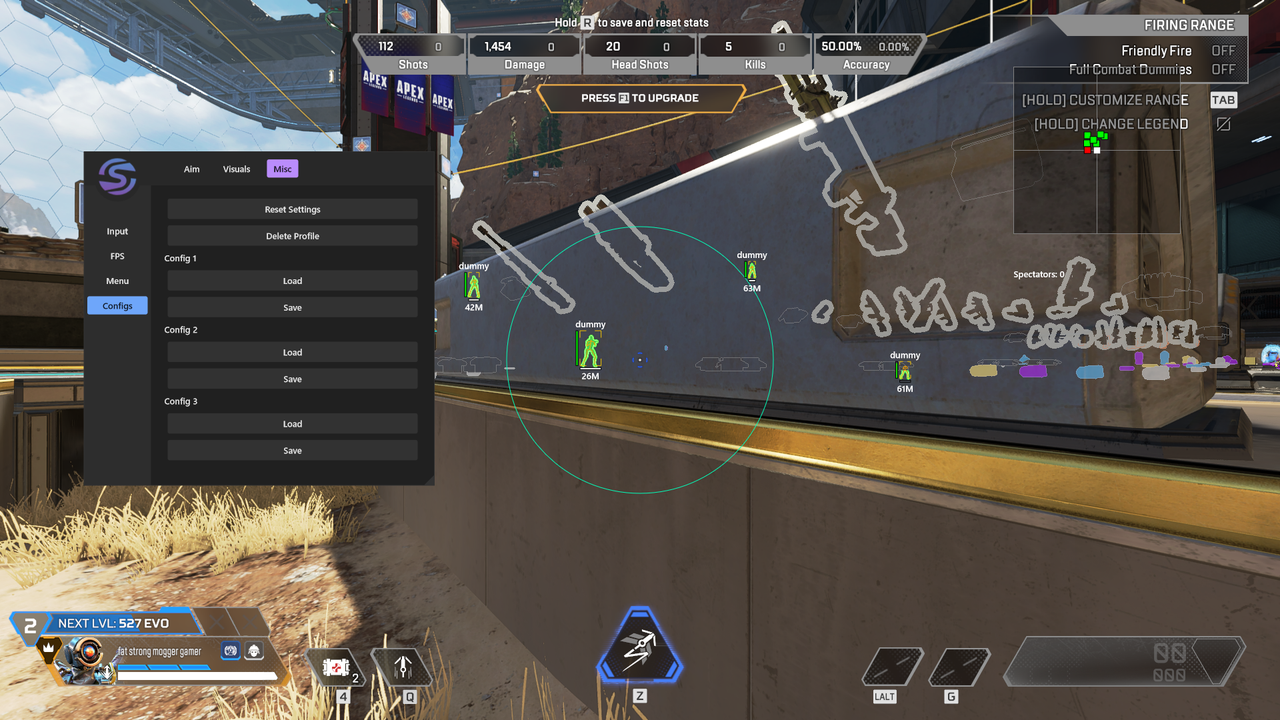
Configs
- Reset Settings - resets all settings to default
- Delete Profile - deletes the current profile
- Config 1 Load - loads config slot 1
- Config 1 Save - saves config slot 1
- Config 2 Load - loads config slot 2
- Config 2 Save - saves config slot 2
- Config 3 Load - loads config slot 3
- Config 3 Save - saves config slot 3