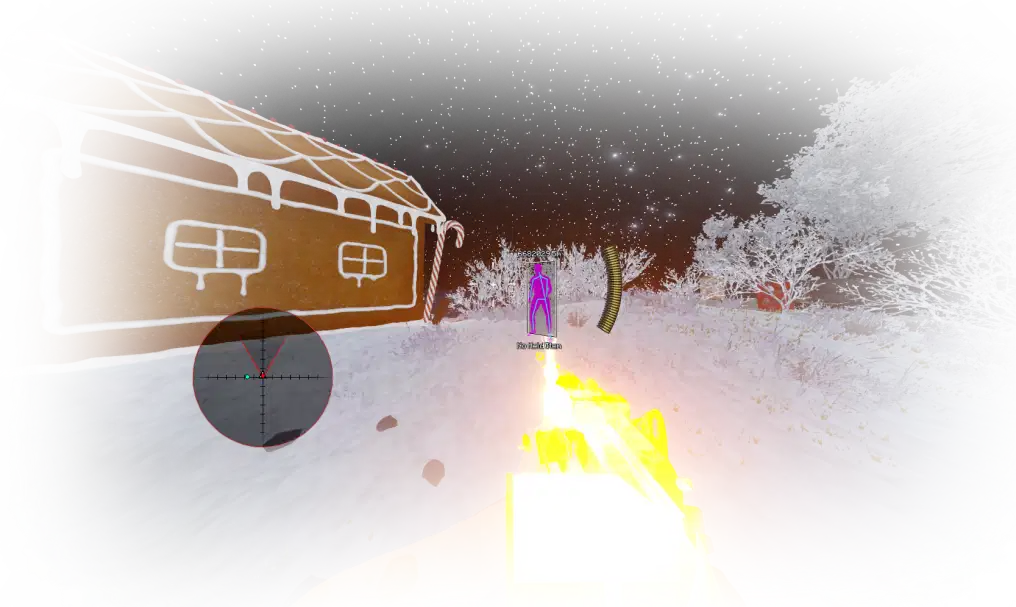
Click on the image to view in full screen.
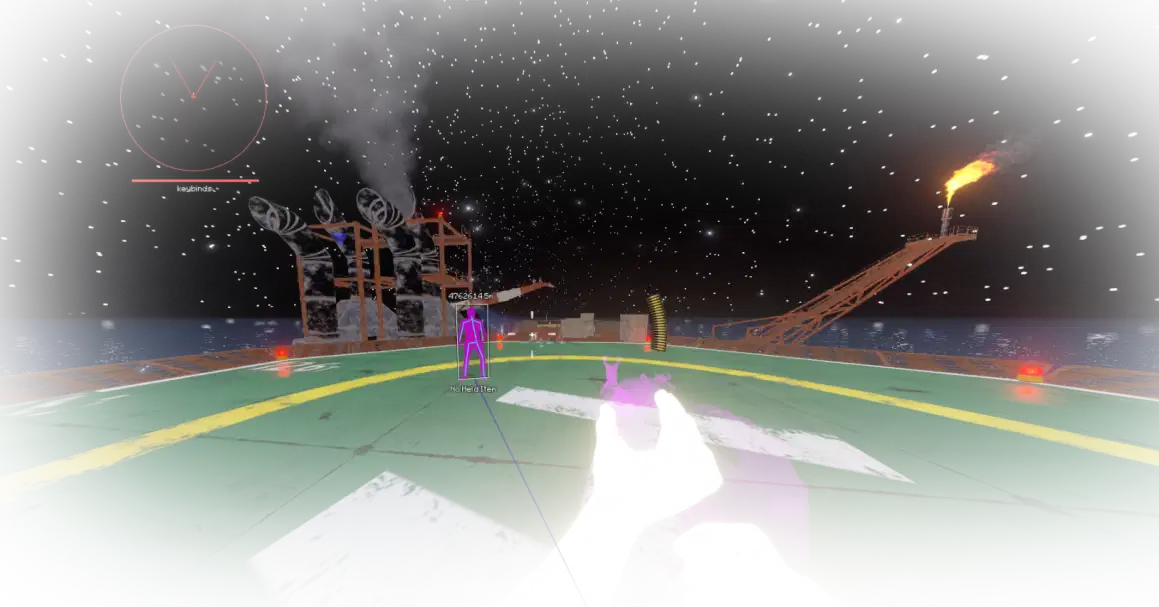
Calamari Cheat External for Rust
Reviews:
OS:
10, 11
Built-in spoofer:
No
Last detection:
Never
Game client:
Steam
Proccessor:
Intel/AMD
USB Required:
No
Window mode:
All
$ 6.99
/1day
$ 15
/3days
$ 25
/7days
$ 59.99
/30days
Features
Reviews
FAQ
Calamari Cheat Features & Description
Calamari is a versatile and undetectable external Rust cheat designed for both legit and rage playstyles. It offers a range of powerful features, including an adjustable aimbot with smooth aim settings, bone prioritization, and triggerbot for precise targeting. The cheat also includes an advanced ESP system to locate players, resources, and loot, with customizable filters and colors. Miscellaneous features like no recoil, no sway, fly hack, speed hack, instant gather, and rapid fire provide unparalleled control and efficiency. Built with external architecture for maximum security, Calamari is regularly updated to stay ahead of anti-cheat systems, making it the ideal tool for dominating the game, whether you prefer subtle enhancements or an all-out aggressive approach.
Radar Features
- Radar Height: Adjusts the height of the radar display
- Radar FOV Fade Out: Sets the fade-out time for the radar FOV
- FOV Color: Defines the color of the FOV circle
- Radar FOV Opacity: Sets the opacity for the radar FOV
- Radar Match Opacity: Sets the opacity for matching radar entities
- Radar Match Outline Opacity: Sets the opacity for radar match outlines
- Radar Lines: Toggles the display of lines on the radar
- Radar Distance: Defines the maximum distance for entities to be visible on the radar
- Display FOV: Toggles the display of the Field of View (FOV) circle on the radar
- Display World Entities: Toggles the display of world entities on the radar
- Display Distance: Shows the distance of entities on the radar
- Radar FOV Match Size: Controls the size of entities in the FOV
- Radar Width: Adjusts the width of the radar display
- Radar Match Color: Defines the color of radar matches
- Radar Match Fade Out: Sets the fade-out time for matching radar entities
- Ignore Wounded: Ignores wounded players from the radar
- Ignore Teammates: Ignores teammates from the radar
- Radar Size: Controls the overall size of the radar
- Lines Color: Defines the color of radar lines
- Radar Match Size: Controls the size of radar match entities
- Ignore Sleepers: Ignores sleeping players from the radar
- Radar Solid Fill Opacity: Sets the opacity for solid radar fill
- Ignore Scientists: Ignores scientists from the radar
- Outlined Dots: Adds an outline to radar dots
- Radar Dot Color: Defines the color of radar dots
Chams Features
- Weapon Chams: Applies chams to weapon models
- Hand Material: Specifies the material used for hand chams
- Weapon Material: Specifies the material used for weapon chams
- Hand Chams: Applies chams to hand models
- Player Material: Specifies the material used for player chams
- Player Chams: Applies chams (visual enhancements) to player models
Miscellaneous
- Selected Crosshair: Selects a specific crosshair style
- Shoot In Air: Allows shooting while in mid-air
- Interactive: Enables interactive actions in the game
- Hold Velocity Bind: Keybind to hold velocity
- Eoka Chance: Configures the chance of an instant Eoka shot
- Infinite Jump: Provides unlimited jumps
- Ladder Shoot: Allows shooting while on a ladder
- Interactive Speed Normal: Adjusts normal interaction speed
- Hold Velocity: Maintains a specific velocity
- Automatic: Enables automatic firing mode
- Fast Projectile: Speeds up projectile movement
- Auto Power: Automatically uses power shots
- Instant Eoka: Instantly fires the Eoka pistol
- Power Shot Cooldown: Configures power shot cooldown
- Instant Compound: Enables instant firing with compound bows
- No Projectile Spread: Removes projectile spread
- Volume: Adjusts the volume of the hitsound
- Instant Aim In: Instantly aims in
- Rapid Fire: Enables rapid fire mode
- No Bolt Cycle: Disables bolt cycling animation
- Max Yaw: Sets the maximum yaw angle
- Zoom Speed: Configures zoom speed
- Thickness: Configures bullet thickness
- FPS: Toggles FPS display
- Menu: Toggles the menu visibility
- Spider Man: Enables wall climbing
- Keybinds: Configures keybinding settings
- No Block Sprint On Attack: Prevents sprint from stopping when attacking
- Omnisprint: Enables continuous sprinting
- On Ladder: Toggles ladder interaction
- Melee Extender: Extends melee range
- Long Melee Circle: Toggles melee attack radius
- No Animation Delay: Disables animation delays
- No Deploy Delay: Removes deployment delays
- No Sway: Disables weapon sway
- Fastbow: Increases bow firing speed
- No Viewmodel Animator: Disables viewmodel animations
- Force Sprint: Forces sprinting
- No Viewmodel Sway: Disables viewmodel sway
- No Viewmodel Bob: Disables viewmodel bobbing
- Hitsound: Enables hitsound feature
- Viewmodel Changer: Allows changing viewmodel position
- No Viewmodel Lower: Disables lowering of viewmodel
- Power Bind: Keybind to activate power shot
- No Viewmodel Punch: Disables viewmodel punch
- Power Shot: Enables power shots
- Hitsound Path: Path to custom hitsound file
- Selected Material: Selects a material for hits
- Zoom Keycode: Keybind to activate zoom
- Spinbot: Enables spinbot feature
- Custom Yaw: Allows custom yaw angles
- Remove Fog: Removes in-game fog
- Crosshair: Toggles crosshair visibility
- Shoot Mounted: Allows shooting while mounted on a vehicle
- Ladder Bind: Sets a keybind for ladder actions
- Interactive Bind: Keybind for interactive actions
- Interactive Speed Fast: Adjusts fast interaction speed
- Long Melee: Allows long-range melee attacks
- Min Yaw: Sets the minimum yaw angle
- Thick Bullet Bow Only: Makes arrows thicker
- No Recoil: Disables recoil
- Field of View Changer: Modifies field of view
- Zoom: Enables zoom feature
- Camera Zoom Effect: Toggles camera zoom effect
- Flyhack: Enables flyhack feature
- Thirdperson Bind: Keybind for third-person view
- Ambient Multiplier: Changes ambient light intensity
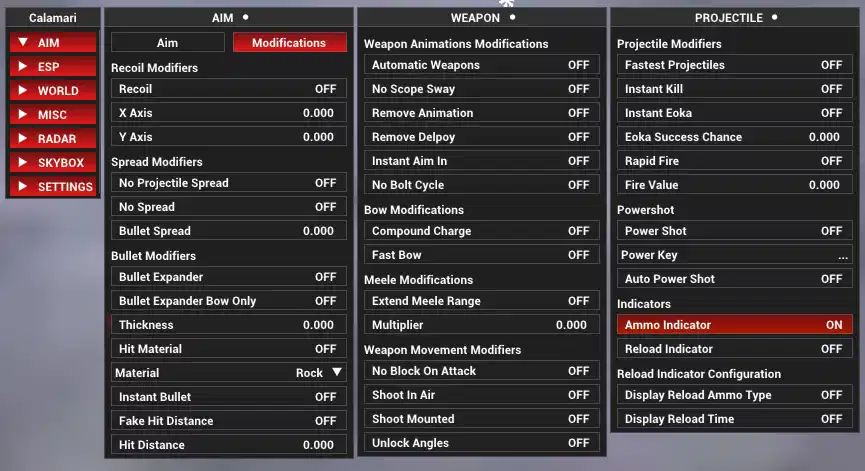
- Ammo Indicator: Displays ammo count
- Colored Sky: Changes sky color
- Bright Night: Brightens the night sky
- No Screen Shake: Disables screen shake effects
- Contrast: Sets contrast level
- Speedhack Cooldown: Configures speedhack cooldown
- Custom Cloud Brightness: Adjusts cloud brightness
- Fake Admin: Simulates admin status
- Viewmodel Position (X, Y, Z): Adjusts viewmodel position
- High Walk: Enables walking at a higher speed
- Fire Value: Configures fire rate
- High Walk Bind: Keybind to activate high walk
- Unlock Angles: Unlocks aim angles
- Fly Bind: Keybind to activate flyhack
- Flyhack Speed: Configures flyhack speed
- Thirdperson: Enables third-person view
- Reload Display Time: Displays reload time
- Ambient: Adjusts ambient lighting
- Current Time: Sets the current time in-game
- Star Brightness: Adjusts star brightness
- Adjust Contrast: Modifies screen contrast
- Remove Sun: Removes the sun from the game
- Reylight Value: Adjusts reylight color value
- RGB Clouds: Enables RGB effects for clouds
- Clouds Changer: Changes cloud appearance
- Speedhack Display Time: Displays time left for speedhack
- Sun Color Changer: Changes sun color
- Remove Wear Overlays: Removes wear overlays
- Hardcore Map: Enables hardcore map mode
- Min Pitch: Sets the minimum pitch angle
- Zoom Value: Adjusts zoom level
- No Fall: Prevents fall damage
- Spread: Adjusts bullet spread
- Recoil X/Y: Adjusts recoil for X/Y axis
- Force Run: Forces continuous running
- Reload Indicator: Displays reload indicator
- Sky Modifications: Modifies sky visuals
- Remove Grass: Removes grass
- Remove Moon: Removes the moon
- Speedhack Violations: Enables speedhack violations
- No Underwater Overlay: Removes the underwater overlay
- Battle Bind: Keybind for battle mode
- Bullet Tracers Outline: Adds outline to bullet tracers
- Movement Tracers Outline: Adds outline to movement tracers
- Layers Bind: Keybind to remove layers
- Custom Pitch: Allows custom pitch angles
- Fast Loot: Speeds up looting actions
- Flyhack Bar: Displays a flyhack status bar
- Max Pitch: Sets the maximum pitch angle
- Flyhack Speed Fast: Configures fast flyhack speed
- No Spread: Disables bullet spread
- Flyhack Max Directional: Limits maximum directional speed
- No Flash: Removes screen flash effects
- Insta Kill: Enables instant kill mode
- Light Color Changer: Changes light color
- Speedhack Bind: Keybind to activate speedhack
- Light Value: Adjusts light intensity
- Hit Material: Enables hit material change
- Thick Bullet: Increases bullet size
- No Movement Slowdown: Disables movement slowdown
- Camera Value: Adjusts camera field of view
- Flyhack Violations: Enables flyhack violations
- Flyhack Max Vertical: Limits maximum vertical speed
- Force Run Bind: Keybind to force run
- Time Changer: Modifies game time
- Stars: Displays stars in the sky
- Max Speed: Configures maximum speed
- Reylight Changer: Changes reylight color
- Moon Color Changer: Changes moon color
- Speedhack: Enables speedhack feature
- Remove Layers: Removes layers
- Bullet Tracers Mode: Selects mode for bullet tracers
- Bullet Tracers: Displays bullet tracers
- Battle Mode: Activates battle mode
- Reload Display Ammo: Displays remaining ammo during reload
- Indicators Scale: Adjusts indicator size
- Star Size: Adjusts star size
- Remove Clouds: Removes clouds
- Speedhack Bar: Displays a speedhack status bar
- Speed: Configures speedhack speed
- Bright Night Sky Changer: Modifies night sky brightness
- Always Day: Makes it always daytime in-game
- RGB Sky: Enables RGB effects for the sky
- Ambient Color Changer: Changes ambient light color
- Movement Tracers Mode: Selects mode for movement tracers
- Movement Tracers: Displays movement tracers
- Ray Color Changer: Changes ray color
- Hardcore Compass: Enables hardcore compass
Belt Features
- Show Clothing Durability: Displays the durability of equipped clothing items
- Center Item Icons: Centers the icons of items in the belt
- Show Active Item: Highlights the currently active item in the belt
- Show Item Durability: Shows the durability of items in the belt
- Show Item Amount: Displays the quantity of items in the belt
- Belt Scale: Adjusts the size of the belt icons
Flags Features
- Prone: Displays entities that are prone (lying down)
- Sleeper: Displays entities that are sleeping
- Aiming: Displays entities that are currently aiming
- Mounted: Displays entities that are mounted (e.g., on vehicles or turrets)
- Crawling: Displays entities that are crawling
- Ducked: Displays entities that are ducked or crouching
- NPC: Displays non-player characters (NPCs)
- Safezone: Displays entities within a safe zone
Aimbot Features
- Only Show FOV When Weapon: Displays the FOV circle only when a weapon is equipped
- Silent Aimbot: Shoots at the target without aiming at them.
- Outlined FOV: Adds an outline to the FOV circle for better visibility
- Only Aim When Held Weapon: Restricts aimbot functionality to when a weapon is equipped.
- FOV Alerts: Provides notifications when targets enter the FOV
- Target Friendly: Allows targeting of teammates or allies
- Dynamic FOV: Adjusts the FOV dynamically based on target distance
- Target NPC: Enables aiming at non-player characters
- Target Sleeper: Enables aiming at sleeping players
- Hitchance: Ensures shots only fire if they meet a specific hit probability.
- Targetline: Draws a line from the player to the target
- Aim Distance: Defines the maximum distance for targets to be eligible for aiming
- Heli Silent: Activates silent aimbot specifically for helicopters
- Prediction Indicator: Displays an indicator for shot prediction accuracy
- Terrain Check: Prevents aiming at targets obscured by terrain
- Smoothing: Gradually adjusts the aim to the target for a more natural movement.
- Memory Aimbot: Remembers and continues aiming at the last target.
- Prediction: Calculates the target's movement to improve shot accuracy
- FOV Radius: Sets the radius of the aiming field of view
- Target Wounded: Allows targeting of wounded players
- Heli Bone: Specifies the part of the helicopter to target
- FOV Circle: Displays the field-of-view circle for aiming
- Target Bone: Specifies the body part to aim at, such as head or chest
Visual Features
- Snapline Outline: Adds an outline to snaplines
- Username: Displays the username of entities
- Snapline: Draws lines from the player to entities
- Arrows: Displays directional arrows pointing to off-screen entities
- ESP: Enables extra sensory perception for rendering objects and entities in the game
- Eye Direction Outline: Adds an outline to eye direction lines
- Clothing Belt: Displays clothing along with the belt items
- Show Scientists: Displays NPC scientists
- Looking At You: Highlights entities looking at the player
- Arrow Outline: Adds an outline to the arrows
- Eye Direction Mode: Sets the style for rendering eye direction
- Knocked Render Distance: Sets the maximum distance for knocked players rendering
- Show Teammates: Enables rendering for teammates
- Safezone Render Distance: Sets the maximum distance for safe zone rendering
- Corner: Displays corner-style boxes around entities
- Box Outline: Adds an outline around the box
- Box Width: Sets the horizontal width of the box
- Box Fill: Fills the box with a solid color
- Skeleton Thickness: Adjusts the thickness of skeleton lines
- Show Only Visible Snaplines: Displays snaplines only for visible entities
- Snapline Mode: Specifies the style of snapline rendering
- Snapline X/Y: Adjusts the snapline's screen starting position
- Team ID: Shows the team ID of entities
- Belt: Enables belt visualization for players
- Full Menu Belt: Displays the full belt menu overlay
- Flags: Shows various flags for entities (e.g., crawling, aiming)
- Censor All Names: Replaces all usernames with censored text
- Override Text Color: Overrides the default text color for ESP elements
- Show Knocked: Displays knocked (wounded) players
- Mark Enemies: Highlights enemies for easier targeting
- Show Sleepers: Displays sleeping players
- Render Distance: Sets the maximum distance for rendering ESP features
- Box Vertical Gap: Defines the vertical gap between boxes
- Snapline End: Sets where the snapline ends on the entity (e.g., center, bottom)
- Belt on Players: Displays belt items for other players
- Terrain Check: Prevents rendering ESP for entities obscured by terrain
- Censor Team Names: Replaces teammate usernames with censored text
- Teammates Render Distance: Sets the maximum distance for teammate rendering
- Show in Safezone: Enables ESP rendering in safe zones
- Mark Friendly: Highlights friendly entities
- Rotating: Enables rotating boxes around entities
- Bounding: Draws bounding boxes around entities
- Box Outer Shadow: Adds a shadow outside the box
- Box Inner Shadow: Adds a shadow inside the box
- Weapon Name: Shows the weapon name of entities
- Ammo Indicator: Shows the ammo count for entities
- Belt Radius: Sets the radius for belt item rendering
- Arrow Mode: Sets the style of arrow rendering
- Box: Draws boxes around entities
- Box Mode: Defines the style of box rendering (e.g., 2D or 3D)
- Skeletons: Draws skeletons on entities
- Skeleton Mode: Sets the rendering style for skeletons
- Skeleton Joints: Highlights joints on skeletons
- Skeleton Joints Outline: Adds an outline to skeleton joints
- Held Item: Displays the held item of entities
- Weapon Icons: Displays weapon icons for entities
- Eye Direction: Shows the direction entities are looking
- Arrow Radius: Defines the radius of arrow placement
- Distance: Displays the distance from the player to entities
- Clothing on Players: Displays clothing for other players
- Arrow Fill: Fills the arrows with a solid color
- Arrow Width: Adjusts the width of arrows
- Target: Highlights the current target for enhanced visibility
- Box Thickness: Adjusts the thickness of the box lines
- Box Horizontal Gap: Defines the horizontal gap between boxes
- Skeleton Outline: Adds an outline to skeleton lines
- Skeleton Joint Draw Distance: Defines the maximum distance for rendering skeleton joints
- Skeleton Joints Radius: Sets the radius of highlighted joints
Terrain Features
- Construction: Toggles the visibility of construction
- Terrain: Toggles the visibility of terrain
- Bushes: Toggles the visibility of bushes
- Clutter: Toggles the visibility of clutter
- Deployed: Toggles the visibility of deployed objects
- Water: Toggles the visibility of water
- Trees: Toggles the visibility of trees
- World: Toggles the visibility of world objects
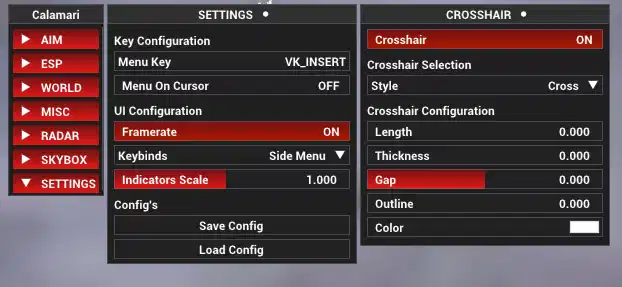
Crosshair Features
- Circle Filled: Toggles whether the crosshair circle is filled
- Outline: Sets the thickness of the crosshair outline
- Thickness: Sets the thickness of the crosshair lines
- Length: Sets the length of the crosshair lines
- Rotation: Adjusts the rotation angle of the crosshair
- Gap: Adjusts the gap between the crosshair lines